How to Choose the Best Sit Stand Office Desk
Choosing a Sit Stand Office Desk is less about chasing a sleek showroom image and more about fitting your real workday. The right desk should support your body, equipment, and available space. Still, no desk can correct every posture habit. Small details matter.
Measure your room before comparing models. Note the desk’s width, depth, and clearance for chair arms, drawers, and cables. Check whether its height range lets you type with relaxed shoulders and elbows near a right angle, both seated and standing. Your monitor should sit directly ahead, with its top near eye level; a monitor arm may help. If several people share the desk, make sure each person can save a comfortable height.
Cornell ergonomics researcher Alan Hedge is often credited with this reminder: “The best posture is the next posture.” It captures an important point: changing positions can help break up long periods of stillness, but standing all day is not the goal. A dependable frame, stable surface, easy controls, and suitable lifting capacity matter more than a long list of features. Listen to the motor, too. A grinding sound may be a warning sign, though it does not tell the whole story.
Be candid about your habits. A carefully chosen desk can still become an expensive coat rack if height changes feel inconvenient. Look for controls you will actually use, and check the warranty, return terms, and assembly requirements. Compare those practical details before choosing a Sit Stand Office Desk that fits your routine—not an idealized version of it.
Identify Your Work Habits, Space, and Budget
Before choosing a sit-stand desk, notice how you actually work. Do you spend long stretches typing, switch between calls and focused tasks, or use two monitors and a notebook? Write down what must stay on the desktop. Then measure the height where your elbows feel relaxed while typing, both seated and standing. A desk’s height range should suit your body, not just look impressive on paper. Small details matter. If you often move between positions, a smooth, stable adjustment may be more useful than extra features you rarely touch. Still, standing all day is not the goal; changing positions is usually more practical.
Measure your room, too. Note the desk’s width and depth, then check space for the chair, drawers, and walking routes. A large top can feel generous in a showroom but crowd a narrow home office. Check that the desk can support your equipment, including monitors and accessories, and leave room for cables to move safely as the surface rises. Budget for more than the frame: a suitable chair, monitor support, or cable tray may also be needed. Compare the full setup cost with your budget, and check warranty terms and return conditions. I’d allow a little room for unexpected costs; I have underestimated those before.
Compare Desk Types, Frames, and Adjustment Mechanisms
How to Choose the Best Sit Stand Office Desk
Compare Desk Types, Frames, and Adjustment Mechanisms
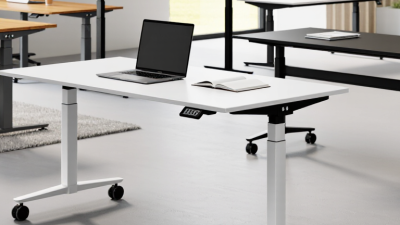
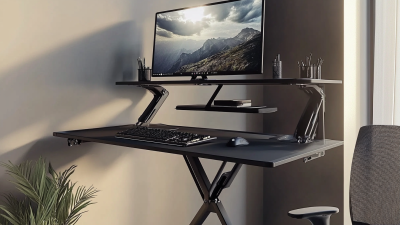
A fixed-height desk with a desktop riser can suit a small room or a cautious first step. A full-height-adjustable desk offers more freedom, but its frame must fit your height and equipment. Two-leg frames are common; check stability with the desk raised, especially if you use a monitor arm. Four-leg designs may feel steadier, though they often take more space. Small details matter. Measure the desktop, chair, and monitor before buying, then check that your elbows remain near desk height in both positions.
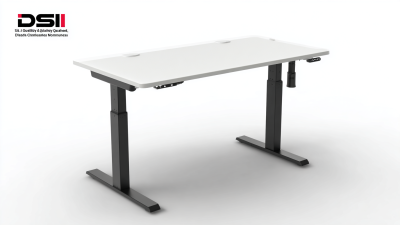
Adjustment mechanisms shape daily use. A hand crank avoids motor noise and wiring, but frequent changes may feel tedious. Electric frames make switching easier; compare their usable height range, control layout, and movement at full extension. A 2018 Cochrane review of workplace interventions reported that sit-stand desks reduced sitting by about 100 minutes per workday in short-term studies, while noting low-quality evidence. That finding supports making position changes convenient, not assuming a desk guarantees better health. It is easy to overrate speed and overlook controls you will use every day. Test the desk loaded with your screen and keyboard, and listen for wobble. My choice might change after a week of real use.
How to Choose the Best Sit-Stand Office Desk
Compare desk types and adjustment mechanisms using these general, qualitative ratings. Scores run from 1 (lower) to 5 (higher); actual cost, stability, and ease of use depend on the specific desk and setup.
Fixed desks are typically the most affordable but do not adjust. Desktop risers keep your existing desk, while manual-crank and electric frames raise the whole work surface. For frequent changes between sitting and standing, prioritize convenient adjustment and a height range that fits your seated and standing posture.
Choose the Right Desktop Size and Height Range
A sit-stand desk should fit your body and your actual work setup, not just the room. ANSI/BIFMA’s G1-2013 ergonomic guidelines give an adjustable worksurface range of about 22.6 to 48.7 inches to accommodate many users. Treat that as a reference, not a guarantee. Your height, shoes, and chair all affect the right settings.
Measure your seated and standing elbow heights before shopping. At both positions, your shoulders should stay relaxed and your elbows should bend near a right angle while typing. The U.S. Occupational Safety and Health Administration advises keeping a monitor roughly 20 to 40 inches from your eyes. A deeper desktop can help create that distance, but measure your monitor and stand first. Small details matter.
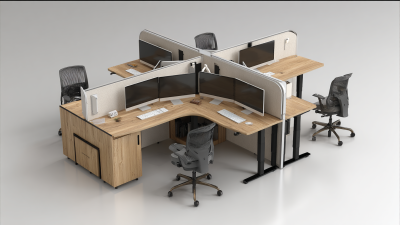
Width depends on what must stay within reach. Allow space for the keyboard, mouse, monitor base, and any papers you use; a 48-inch-wide surface may feel tight with two screens. Measure the equipment footprint. Then leave clear space for your forearms. I would not trust a listed height range alone: some desks reach a low number but feel awkward once a thick desktop is added. Fit is personal, and a tape measure can prevent an expensive mismatch.
How to Choose the Best Sit Stand Office Desk - Choose the Right Desktop Size and Height Range
| Workspace need |
Suggested desktop size (W × D) |
Suitable setup |
Height-range guidance |
What to check before buying |
| Compact workspace |
36–48 × 20–24 in
(91–122 × 51–61 cm) |
Laptop, keyboard, and mouse; limited room |
Confirm the desk reaches your seated elbow height and standing elbow height. |
Measure available floor space and allow room for the monitor, cables, and desk movement. |
| Everyday single-monitor setup |
48–60 × 24–30 in
(122–152 × 61–76 cm) |
Monitor or laptop, keyboard, mouse, and everyday work items |
A range around 22–48 in (56–122 cm) accommodates many users, but fit depends on body proportions and chair setup. |
Check the minimum and maximum surface heights, not just the advertised adjustment range. |
| Dual monitors or broader work area |
60–72 × 30 in
(152–183 × 76 cm) |
Two monitors, peripherals, documents, or additional work equipment |
Choose a range that lets your forearms rest comfortably with shoulders relaxed in both positions. |
Verify frame support and rated load for the desktop and all equipment. |
| Large or shared workstation |
72 × 30 in or larger
(183 × 76 cm or larger) |
Multiple displays, shared equipment, or tasks needing extra surface area |
For users sharing the desk, check that the adjustment range suits the shortest and tallest users. |
Measure the room, check frame stability at full height, and confirm the lift capacity. |
Sizing note: These desktop dimensions are practical selection guidelines, not fixed ergonomic standards. Set the seated surface near elbow height with shoulders relaxed; when standing, keep elbows comfortably bent and wrists straight. Individual fit varies, so check the desk’s actual minimum and maximum heights against your chair and body measurements.
Evaluate Stability, Ergonomics, and Safety Features
A sit-stand desk should feel steady at standing height, not just look solid in a product photo. Raise it fully, then press gently on each front corner and type for a minute. Watch for screen shake, leg movement, or a frame that rocks on your floor. A little movement is easy to overlook. The ANSI/BIFMA X5.5 standard sets safety and performance tests for desk products; check whether a desk’s documentation identifies testing to this standard.
Ergonomics depends on fit, not a feature list. At sitting height, keep your shoulders relaxed, feet supported, and elbows near desk level. When standing, avoid reaching up to the keyboard or craning toward the screen. A 2018 Cochrane review found sit-stand desks reduced workplace sitting by about 84–116 minutes per day in short-term studies. That is useful evidence, but standing all day is not the goal; comfortable position changes matter more.
Check the stated load capacity and whether it includes the desktop and equipment. Look for guarded moving parts, secure cable routing, and controls that stop or reverse when obstructed. Test the controls before loading the desk. Keep cables clear of the lifting columns, and check that a heavy monitor arm does not make the surface tilt. I would not assume a higher price guarantees better stability; floor unevenness and assembly can still affect performance.
Compare Build Quality, Warranty, and Long-Term Value
How to Choose the Best Sit Stand Office Desk
Compare Build Quality, Warranty, and Long-Term Value
A desk can look solid in a showroom and wobble when raised. Test it at standing height, with your usual monitor and keyboard in place. Check for smooth movement, stable feet, and a clear weight limit. Ask whether the warranty covers the frame, motor, and controls separately; these parts may have different coverage periods. A long warranty matters only if replacement parts and service are accessible.
Long-term value also depends on whether you will actually use the desk. A 2018 Cochrane review by Shrestha and colleagues found sit-stand desks reduced workplace sitting by about 100 minutes per day in the short term. The evidence was rated low certainty, so this is not a promise of health benefits. It does suggest that a desk’s adjustment range and ease of use matter. I would not treat a high price as proof of better construction; that assumption is easy to make.
Tips: Raise the desk fully before buying, if possible. Gently press the front edge and watch for movement. Compare warranty exclusions, repair options, and replacement-part costs. Keep the packaging details. You may need them later.