What Are Office Solutions and Why Do Buyers Need Them?

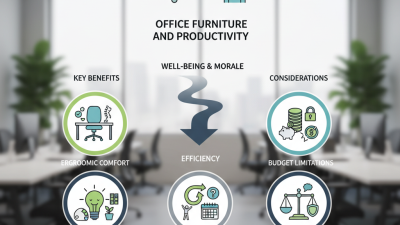
Office Solutions are no longer limited to desks, chairs, and filing cabinets. They bring together furniture, technology, storage, space planning, and workplace services. For buyers, that combination can turn a noisy, inefficient office into a more productive working environment.

Workplace strategist and Steelcase CEO Jim Keane has said, “The office is a tool for work.” This simple idea matters. A tool should fit its user, purpose, and conditions. A sales team may need shared tables, writable walls, and quick meeting areas. A finance department may require secure storage, acoustic privacy, and carefully managed screens. A reception area needs a different solution altogether.

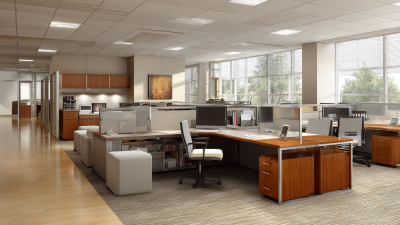
Reliable Office Solutions begin with observation. Buyers should measure how people move, where conversations interrupt concentration, and which rooms remain unused. They should also check chair adjustability, lighting quality, accessibility, ventilation, and data security. These details affect comfort and long-term performance. They also influence employee trust.

The cheapest package may not be the best value. Replacing unsuitable desks after one year can cost more than planning carefully at the beginning. Yet planning is not perfect. Staff habits change. Hybrid work can make yesterday’s layout feel strangely oversized. That is why flexible furniture, modular partitions, and scalable technology deserve serious attention.

A credible supplier should explain materials, warranties, installation timelines, maintenance, and measurable outcomes. Buyers should request references and inspect completed projects, not rely only on polished brochures. Good Office Solutions solve real problems. They should also remain practical when the office becomes busier, quieter, or unexpectedly different.
What Are Office Solutions and Why Do Buyers Need Them?

What Office Solutions Include

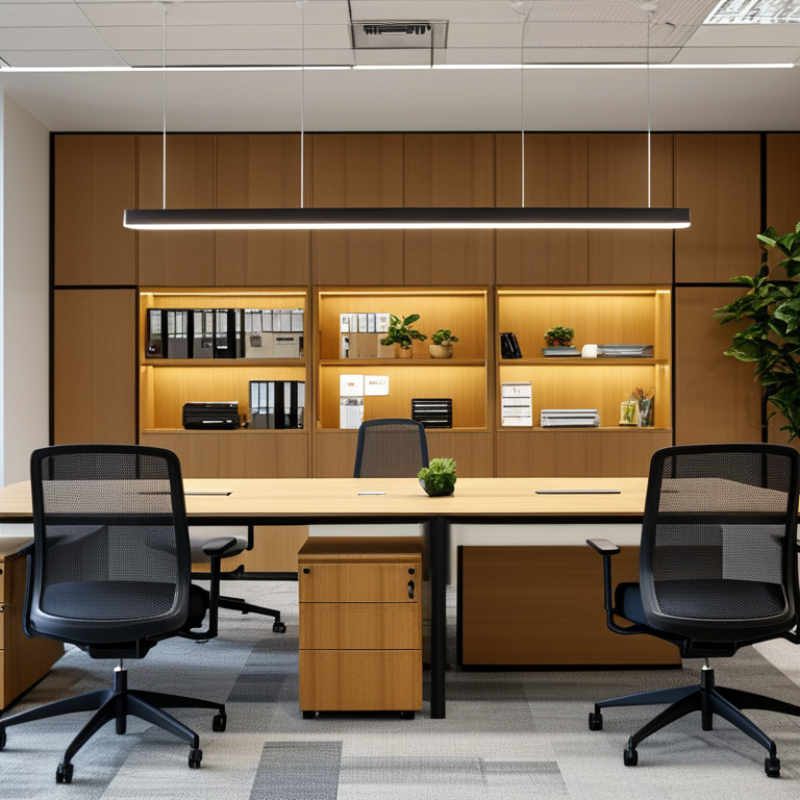
Office solutions include the practical systems that help people work comfortably, safely, and consistently. They cover desks, ergonomic chairs, meeting tables, storage units, lighting, and acoustic materials. They can also include computers, printers, network equipment, video conferencing tools, and access controls. The right combination depends on the office size, work style, budget, and daily workload.

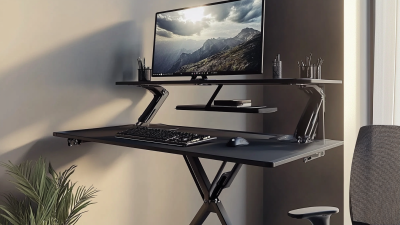
Space matters. A well-planned layout keeps walkways clear and reduces unnecessary movement. Adjustable desks can support different working positions, while supportive chairs may reduce strain during long tasks. Storage solutions keep documents, cables, and supplies organized. Clear labeling helps employees find items quickly. Small details matter.

Reliable office solutions also include maintenance plans, installation support, data protection, and equipment replacement procedures. During workplace projects, I have found that buyers often focus on visible furniture and overlook power access or cable management. That mistake creates clutter later. A solution should be tested in real working conditions, not judged only from a showroom image. Quiet equipment may improve concentration, while flexible meeting tools can help mixed teams communicate. However, not every modern feature delivers value. Some offices purchase advanced systems that employees rarely use. Regular feedback and simple performance checks can reveal what should stay, change, or be removed.

What Are Office Solutions and Why Do Buyers Need Them?

Office solutions combine digital tools that help organizations communicate, store information, manage operations, and improve productivity. The chart shows the share of EU enterprises using selected cloud-based office services in 2023.

Source: Eurostat, ICT usage in enterprises, 2023. Values represent the percentage of enterprises using each cloud service.

How Office Solutions Address Workplace Needs

Office solutions are practical systems that help people work safely, efficiently, and comfortably. They may include ergonomic desks, adjustable chairs, storage, meeting areas, lighting, and digital workflow tools. In a well-planned office, each item answers a visible problem. A narrow walkway needs a better layout. A tired employee may need a monitor height adjustment. A crowded table may need shared storage. From workplace assessments, I have learned that small physical changes often improve daily focus. Still, furniture alone cannot repair unclear procedures or poor communication.

Effective solutions begin with observation, not assumptions. Measure movement, noise, temperature, privacy, and task duration before choosing equipment. Interview employees across roles. Their needs differ. A finance worker may need quiet concentration, while a project team needs writable surfaces and quick collaboration. Reliable planning also considers accessibility, maintenance, fire safety, and future growth. Testing one area for two weeks can reveal problems that drawings miss. Some plans fail because they look polished but ignore real habits. That is worth admitting.

Tips: Keep pathways clear and test chair adjustments with actual users. Place frequently used supplies within easy reach. Track simple measures, such as meeting delays, reported discomfort, and storage time. Review results after several weeks. If a solution creates new frustration, change it. Good office planning is practical, evidence-informed, and open to correction.

Key Types of Office Solutions

Office solutions cover the practical systems that help people work safely, efficiently, and comfortably. Workspace planning is one key type. It includes desks, seating, lighting, meeting areas, and paths for movement. Good planning reduces clutter and supports different work styles. Ergonomic furniture matters too. A properly adjusted chair can ease pressure during long computer sessions. Storage solutions keep files, supplies, and equipment easy to find. They may include cabinets, shelving, mobile drawers, and secure document areas. Technology solutions form another major group. Reliable networks, shared screens, printing systems, and access controls can reduce delays between departments.

Communication solutions support meetings, remote collaboration, and internal updates. They may involve video equipment, room booking tools, digital signage, and clear information-sharing procedures. Buyers also need workplace safety solutions, such as cable management, appropriate lighting, emergency access, and privacy controls. The right choice depends on staff numbers, floor space, daily tasks, and future changes. Measure the room before ordering anything. Ask employees where work slows down. Their answers often reveal problems that floor plans miss. Cost matters, but replacement and maintenance costs matter more over time. A low-priced chair may fail quickly. A sophisticated system may also become frustrating if employees cannot use it confidently. No solution is perfect. Buyers should test critical equipment, request practical demonstrations, and review support terms carefully before making a commitment.

How Buyers Evaluate Office Solutions

Buyers evaluate office solutions through measurable workplace outcomes, not attractive furniture or polished promises. The 2024 State of the Global Workplace report found that only 23% of employees were engaged worldwide. This suggests that comfort, focus, and connection deserve equal attention during purchasing decisions. A practical solution should support quiet work, quick collaboration, reliable technology, and easy movement between spaces. Buyers should inspect real workflows. Watch how employees carry laptops, share documents, and search for power outlets.

Cost remains important, but the cheapest option can create hidden expenses. The 2024 Global Workplace Survey reported that many employees still want offices to support focused work and team interaction. Buyers can compare solutions through utilization rates, employee feedback, maintenance needs, and technology failures. A pilot area often reveals more than a sales presentation. That evidence feels less impressive, but it is usually more honest. Buyers should also question vendor assumptions. A flexible desk may look efficient, yet it can frustrate employees without secure storage.

Tips: Request a short trial before full purchase. Measure noise, booking accuracy, setup time, and employee satisfaction. Check accessibility for different users. Review energy use and repair requirements. Do not rely on one survey. Reports describe broad patterns, while each office has its own habits. A useful evaluation combines published data, direct observation, and uncomfortable feedback from daily users.

What Are Office Solutions and Why Do Buyers Need Them? - How Buyers Evaluate Office Solutions

Office solutions combine workplace products, services, technologies, and operating practices that help organizations support employees, use space efficiently, and manage workplace costs. Buyers typically evaluate them by comparing business fit, measurable performance, risk, implementation effort, and total cost of ownership.

Recommended evaluation method: score each dimension from 1 to 5, then apply the suggested weighting. A higher weighted score indicates stronger overall suitability.
Evaluation dimension Office solution covered Why buyers need it Practical buying indicators Suggested weight Evidence to request
Workplace fit and functionality Workstations, desks, seating, storage, and workplace layouts Ensures the solution supports actual work patterns, team structures, and available floor space. Required functions covered; usable work areas; storage capacity; compatibility with existing layouts; ease of reconfiguration 15% Layout drawings, product specifications, workflow review, and a site-fit assessment
Ergonomics and user comfort Adjustable desks, task chairs, monitor supports, and ergonomic accessories Reduces avoidable discomfort and supports sustained use across different employees and tasks. Adjustment range; seat and back support; user trial results; accessibility; ease of operation; maintenance of moving parts 13% Ergonomic specifications, user testing records, installation guidance, and warranty terms
Technology and collaboration Meeting-room equipment, video conferencing, power access, connectivity, and collaboration tools Supports hybrid work, faster communication, and consistent meeting experiences. Device compatibility; connection reliability; display and audio quality; room setup time; support for common operating systems and networks 14% Compatibility matrix, technical architecture, demonstration, test results, and support response terms
Privacy and acoustics Acoustic panels, private rooms, screens, enclosed meeting areas, and zoning solutions Helps protect confidential conversations and supports concentration in open or shared workplaces. Speech privacy; reverberation control; visual separation; availability of quiet areas; cleaning and replacement requirements 9% Acoustic test data, material information, sample installation, and user feedback from a pilot area
Space utilization and flexibility Modular furniture, movable partitions, shared-desk systems, room booking, and occupancy tools Allows organizations to adapt space as headcount, attendance patterns, and team needs change. Changeover time; modular components; occupancy visibility; booking accuracy; reuse potential; expansion capacity 10% Space plan, utilization baseline, reconfiguration plan, and scalability assumptions
Security and data protection Access control, secure storage, visitor management, device security, and workplace software Protects people, equipment, confidential information, and workplace usage data. Role-based access; audit logs; data retention controls; encryption where applicable; incident process; physical security 10% Security documentation, access model, privacy terms, risk assessment, and continuity procedures
Sustainability and lifecycle impact Durable furniture, energy-efficient equipment, recyclable materials, and refurbishment services Reduces replacement frequency, operating impact, and disposal requirements while supporting environmental goals. Expected service life; repairability; spare-parts availability; material disclosure; energy use; end-of-life options 8% Lifecycle documentation, energy data, material declarations, repair policy, and disposal plan
Implementation and change management Consulting, space planning, delivery, installation, training, and rollout management A strong solution can fail if installation disrupts work or employees do not understand how to use it. Delivery schedule; installation capacity; downtime plan; training coverage; acceptance criteria; project governance 8% Project plan, risk register, implementation roles, training materials, and acceptance checklist
Serviceability and support Maintenance, repairs, software support, replacement parts, and service management Limits operational interruptions and helps maintain performance after installation. Response time; resolution time; preventive maintenance; spare-parts lead time; escalation process; service coverage 6% Service-level agreement, warranty terms, maintenance schedule, escalation contacts, and service history
Total cost of ownership Purchase or subscription costs, installation, training, maintenance, energy, upgrades, and disposal Shows the financial effect over the full usage period rather than relying only on the initial price. Five-year cost model; implementation fees; recurring charges; maintenance costs; upgrade assumptions; residual value 7% Itemized quotation, five-year cost model, payment terms, renewal conditions, and disposal costs
Total recommended evaluation weight 100% Adjust the weights according to organizational priorities and project risks.
Scoring formula: Weighted score = (buyer score ÷ 5) × evaluation weight. Buyers should validate supplier claims through specifications, demonstrations, pilot testing, references, contracts, and a detailed total-cost calculation.

Steps for Selecting and Implementing Office Solutions

Selecting office solutions should begin with evidence, not attractive specifications. Map daily work: video meetings, private calls, shared desks, document storage, and visitor access. Interview employees across departments, including people who rarely speak in meetings. Gallup’s State of the Global Workplace 2024 reports that only 23% of employees are engaged worldwide. That gap makes usability a business concern, not a decorative preference. Record noise levels, desk occupancy, meeting-room demand, and accessibility barriers for at least two working weeks.

Compare solutions against clear criteria: total cost, interoperability, data protection, maintenance, energy use, and user experience. Request demonstrations in a real room. A bright screen may still create glare beside a window. A booking system may also produce empty reservations. The U.S. Energy Information Administration reports that commercial buildings consume about 18% of total U.S. energy use. Efficient lighting, ventilation controls, and occupancy-based settings can therefore influence operating costs. Verify the supplier’s performance claims through independent testing and service records.

Implementation needs a controlled pilot, practical training, and a named owner. Start with one floor or team, then measure adoption, downtime, comfort, and support requests after 30 and 90 days. Listen carefully. Some resistance reflects poor communication, but some reveals a genuine design flaw. A pilot can still fail. Keep a fallback process, document changes, and review results with employees before expanding. Office solutions should improve real work, not simply add another system to manage.